
























• About Us
  • Contact Us
  • Write for Us
  • Privacy Policy
  • Terms & Conditions
Tech News, Magazine & Review WordPress Theme 2017
  • Technology
    A laptop on a wooden desk showing an API interface screen, surrounded by a notebook, phone, and coffee mug – symbolizing how APIs connect different software tools, ideal for a beginner-friendly blog on APIs for non-programmers.

    Understanding APIs: A Guide for Non-Programmers

    Xcode tutorial for beginners showing the Xcode interface with Swift code and an iPhone simulator for building iOS apps

    Xcode Tutorial for Beginners — What It Is & How to Use It (2026)

    HTTP vs HTTPS diagram showing HTTP with SSL certificate creating a secure HTTPS connection

    Difference Between HTTP and HTTPS Explained: My Personal Guide

  • AI (Artificial Intelligence)
    ChatGPT interface on mobile devices showing light and dark mode, illustrating how to use ChatGPT for writing clear and professional work emails faster

    How to Use ChatGPT for Email Writing (Faster, Clearer, More Human)

    ChatGPT vs Claude for Coding: Which Is Better for Python Beginners

    ChatGPT vs Claude for Coding: Which Is Better for Python Beginners?

    Matarecycler

    Matarecycler: Smart Recycling Solution Transforming Waste 2025

    Trwho.com Tech

    Trwho.com Tech: Guide to Its Features and Smart Uses in 2025

    eeat-content-real-experience-guideThe Entrepreneur’s Secret Weapon

    eeat-content-real-experience-guideThe Entrepreneur’s Secret Weapon: How to Use Your Real-Life Experience (E) to Make High-Ranking

    Real-Life Experience (E) to Make High-Ranking

    The Entrepreneur’s Secret Weapon: How to Use Your Real-Life Experience (E) to Make High-Ranking

    Small Business Content Strategy

    7-Day AI-Powered Content Plan: Small Business Content Strategy

    AI to Write Content

    The Real Talk: How I Finally Got AI to Write Content That Sounds Like Me (And Doesn’t Get Flagged)

    AI tools

    5 AI Tools That Will Finally Get Your Small Business Off the Ground

  • Digital Marketing
    Plumber working on plumbing systems with a Google My Business logo, illustrating the importance of local SEO for plumbers.

    How to Rank a Plumbing Business on Google (Complete Local SEO Guide)

    Instagram app logo displayed on a smartphone screen, representing the Gramho Instagram Viewer tool for viewing public Instagram profiles in 2026

    Gramho Instagram Viewer (2026) — Complete Details for Beginners

    Dentist examining a patient in a dental clinic with a graphic showing Local SEO for Dentists 2026 and Google Maps growth

    Local SEO for Dentists: Complete Guide 2026

  • EdTech
    Split graphic comparing Coursera and Udemy logos with bold text reading "Coursera vs Udemy – Beginners Guide", highlighting a visual contrast between the two online learning platforms for a 2026 blog article.

    Coursera vs Udemy for Beginners (2026): Which Should You Choose?

  • Business
    Woman working on a laptop at home while learning how to start a freelance writing business, with text overlay about a beginner freelance writing guide.

    How to Start a Freelance Writing Business (Beginner Guide 2026)

  • Software
    Laptop on a desk displaying a Canva presentation editor with marketing strategy slides, showing how to create a presentation in Canva step by step.

    How to Create a Presentation in Canva (Simple Step-by-Step Guide)

    HQPotner all-in-one business management dashboard showing social media scheduling, project tasks, analytics charts, and team collaboration tools on a modern workspace screen

    HQPotner: Complete Guide to Features, Benefits, and Business Efficiency

    A collage showing logos of streaming websites including 123Movies, FMovies, HuraWatch, WatchSeries, Movies4u, and CouchTuner – popular alternatives to Hurawatch for watching movies and TV shows online.

    Top 10 Trusted Hurawatch Alternatives for Watching Movies and TV Shows Online

    How to Use Notion for Project Management

    How to Use Notion for Project Management: A Simple Beginner Guide

    Bottlecrunch.com

    Bottlecrunch.com: Guide to Hosting and WordPress in 2025

No Result
View All Result
  • Technology
    A laptop on a wooden desk showing an API interface screen, surrounded by a notebook, phone, and coffee mug – symbolizing how APIs connect different software tools, ideal for a beginner-friendly blog on APIs for non-programmers.

    Understanding APIs: A Guide for Non-Programmers

    Xcode tutorial for beginners showing the Xcode interface with Swift code and an iPhone simulator for building iOS apps

    Xcode Tutorial for Beginners — What It Is & How to Use It (2026)

    HTTP vs HTTPS diagram showing HTTP with SSL certificate creating a secure HTTPS connection

    Difference Between HTTP and HTTPS Explained: My Personal Guide

  • AI (Artificial Intelligence)
    ChatGPT interface on mobile devices showing light and dark mode, illustrating how to use ChatGPT for writing clear and professional work emails faster

    How to Use ChatGPT for Email Writing (Faster, Clearer, More Human)

    ChatGPT vs Claude for Coding: Which Is Better for Python Beginners

    ChatGPT vs Claude for Coding: Which Is Better for Python Beginners?

    Matarecycler

    Matarecycler: Smart Recycling Solution Transforming Waste 2025

    Trwho.com Tech

    Trwho.com Tech: Guide to Its Features and Smart Uses in 2025

    eeat-content-real-experience-guideThe Entrepreneur’s Secret Weapon

    eeat-content-real-experience-guideThe Entrepreneur’s Secret Weapon: How to Use Your Real-Life Experience (E) to Make High-Ranking

    Real-Life Experience (E) to Make High-Ranking

    The Entrepreneur’s Secret Weapon: How to Use Your Real-Life Experience (E) to Make High-Ranking

    Small Business Content Strategy

    7-Day AI-Powered Content Plan: Small Business Content Strategy

    AI to Write Content

    The Real Talk: How I Finally Got AI to Write Content That Sounds Like Me (And Doesn’t Get Flagged)

    AI tools

    5 AI Tools That Will Finally Get Your Small Business Off the Ground

  • Digital Marketing
    Plumber working on plumbing systems with a Google My Business logo, illustrating the importance of local SEO for plumbers.

    How to Rank a Plumbing Business on Google (Complete Local SEO Guide)

    Instagram app logo displayed on a smartphone screen, representing the Gramho Instagram Viewer tool for viewing public Instagram profiles in 2026

    Gramho Instagram Viewer (2026) — Complete Details for Beginners

    Dentist examining a patient in a dental clinic with a graphic showing Local SEO for Dentists 2026 and Google Maps growth

    Local SEO for Dentists: Complete Guide 2026

  • EdTech
    Split graphic comparing Coursera and Udemy logos with bold text reading "Coursera vs Udemy – Beginners Guide", highlighting a visual contrast between the two online learning platforms for a 2026 blog article.

    Coursera vs Udemy for Beginners (2026): Which Should You Choose?

  • Business
    Woman working on a laptop at home while learning how to start a freelance writing business, with text overlay about a beginner freelance writing guide.

    How to Start a Freelance Writing Business (Beginner Guide 2026)

  • Software
    Laptop on a desk displaying a Canva presentation editor with marketing strategy slides, showing how to create a presentation in Canva step by step.

    How to Create a Presentation in Canva (Simple Step-by-Step Guide)

    HQPotner all-in-one business management dashboard showing social media scheduling, project tasks, analytics charts, and team collaboration tools on a modern workspace screen

    HQPotner: Complete Guide to Features, Benefits, and Business Efficiency

    A collage showing logos of streaming websites including 123Movies, FMovies, HuraWatch, WatchSeries, Movies4u, and CouchTuner – popular alternatives to Hurawatch for watching movies and TV shows online.

    Top 10 Trusted Hurawatch Alternatives for Watching Movies and TV Shows Online

    How to Use Notion for Project Management

    How to Use Notion for Project Management: A Simple Beginner Guide

    Bottlecrunch.com

    Bottlecrunch.com: Guide to Hosting and WordPress in 2025

No Result
View All Result
Tech AI Tech
No Result
View All Result
Home AI (Artificial Intelligence)

7-Day AI-Powered Content Plan: Small Business Content Strategy

Ayaz Saifi by Ayaz Saifi
October 23, 2025
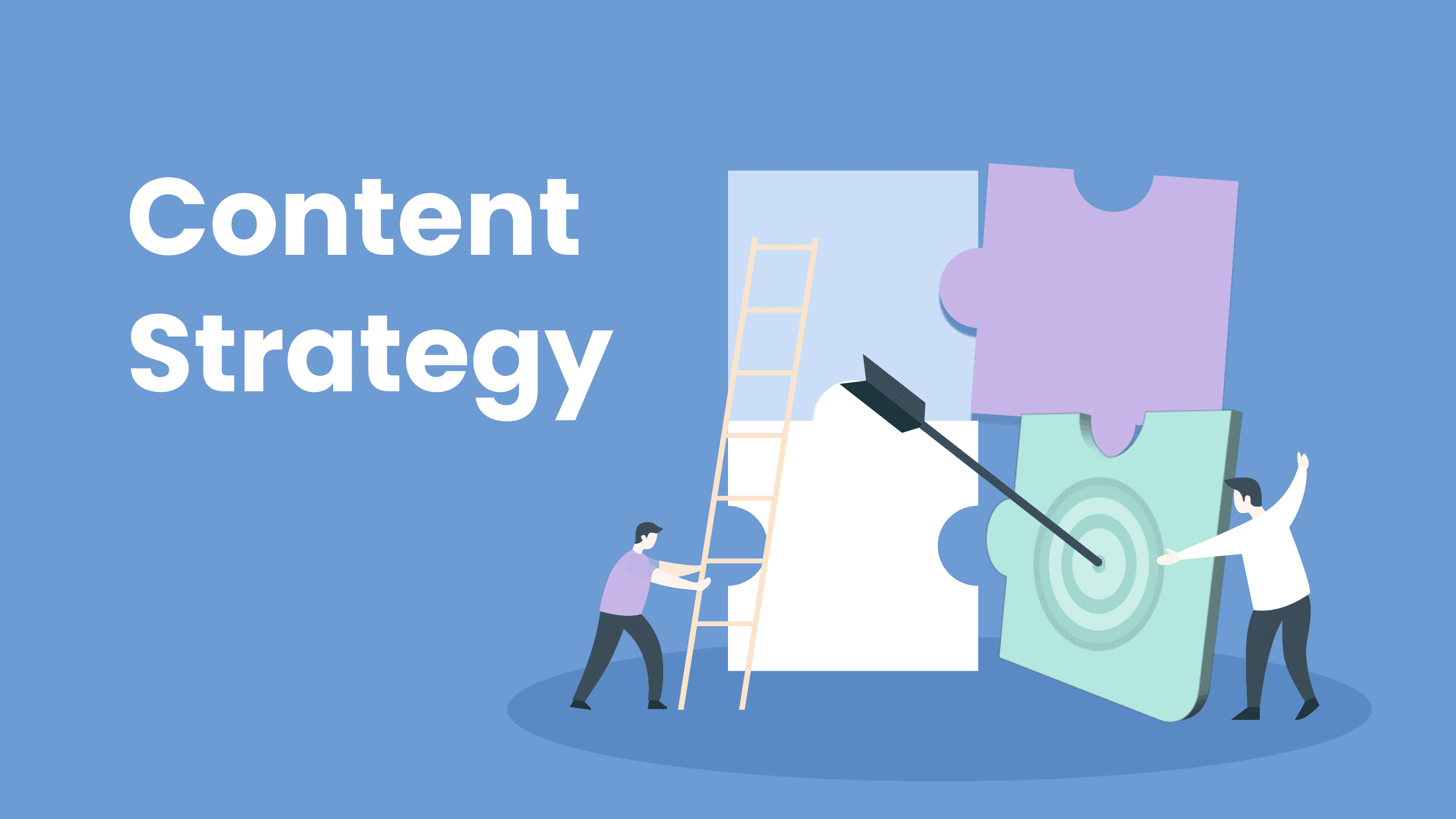
Small Business Content Strategy

AI-Powered 7-Day Small Business Content Strategy

Share on FacebookShare on Twitter

Are you sick of feeling rushed? As the owner of a small business, you do everything from baking to keeping the books. You know you need to build EEAT (Experience, Expertise, Authoritativeness, Trustworthiness) to rank on Google and connect with real customers, but who has the time?

Using your AI assistant (like Gemini or ChatGPT) as a highly-trained, personal executive assistant is the key.

We already know how to use the R.A.F.T. system to make prompts that sound like people. Let’s use that system to make a simple, repeatable 7-day schedule that does 80% of your work for you and makes sure that all of the content sounds like you. You should be able to finish this plan in 30 to 45 minutes a day.

Table of Contents

Toggle
  • 1. The EEAT Core: What Makes a 7-Day Plan Work
  • 2. Your Action Plan: The 7-Day Breakdown of the Content Cycle
    • Day 1: The Deep Dive (Knowledge and Power)
    • Day 2: The Direct Connection (How Reliable It Is)
  • Day 3: The Proof in Pictures (Experience)
  • Day 4: The Trustworthy Problem Solver
    • Day 5: The Social Proof Amplifier (Being Authoritative)
    • Day 6: The Competitive Edge (Knowledge)
  • Day 7: Check the System (Trustworthiness)
  • 3. The Secret of the Low-AI Score: The Editing Mindset
  • 4. In the end, be the boss of the bot.

1. The EEAT Core: What Makes a 7-Day Plan Work

The one thing that works best for small businesses when it comes to content marketing is a weekly plan. It does two things very well:

It Fulfills Google’s Need for Newness: Google likes it when a website and social media presence are active and up to date. A weekly cycle gives this consistency, which is a subtle but strong sign of higher Trustworthiness.

It gets customers used to it: Your audience starts to look forward to your content on certain days, like advice on Tuesdays and stories on Fridays. This predictability makes the T (Trustworthiness) factor stronger, which makes people want to come back to your website [Homepage Link].

The main goal is simple: Every piece of content this week needs to include your Experience (E) and help your business build Trust (T).

2. Your Action Plan: The 7-Day Breakdown of the Content Cycle

The weekly cycle makes sure that you cover all the important parts of your business and that you use EEAT on all platforms. Every day, we give the AI a different R.A.F.T. Role to make sure that every piece of content has a new, unique voice.

Day 1: The Deep Dive (Knowledge and Power)

Start the week by working on the biggest piece of content: an outline and first draft of a long-form blog post (about 1500 words). The point of this is to show that you are an expert and an authority. You should give the AI the R.A.F.T. role of a skeptical expert in the field.

Why it works: The AI won’t just write boring, textbook facts if you make it a Skeptical Expert. Instead, it will question common industry myths and give the topic a critical, authoritative voice, which is the main point of the A in EEAT.

Your Human Step (The 10% Change): After you’ve finished the draft, write a short introduction about why this topic is important to you and a short conclusion about a time you were wrong about this topic before you learned the truth.

Day 2: The Direct Connection (How Reliable It Is)

Now, turn the main point of the Day 1 blog post into a Personalized, Casual Email Newsletter. This action makes Trustworthiness the highest it can be. The best R.A.F.T. role for the AI here is that of the tired but honest founder.

Why it works: The Tired, but Honest Founder persona automatically uses short sentences, contractions, and a tone that people can relate to. This skips the formal language and goes straight for the human connection, which is very important for email marketing.

Your Human Step: The 10% Change Include a detail that is unique to you. For example, you could say a specific date, a well-known place in the area, or the first name of a customer who has changed. This is your fingerprint.

Day 3: The Proof in Pictures (Experience)

On day three, you need to show your Experience through a 30-second Instagram Reel or TikTok Script. The High-Energy Customer Advocate should be your AI’s job.

Why it works: Short videos are a great way to build trust. The Customer Advocate persona is all about how your product or service makes people feel and what it does for them, not just what it does. This persona naturally uses strong, action-oriented verbs, which are great for visual content.

Your Human Step (The 10% Edit): Don’t read the script word for word while you record the video. Let your natural pauses and accent show through. This easy step makes the content completely human and impossible to find, which is a big help for your Social Media engagement.

Day 4: The Trustworthy Problem Solver

Make short FAQs and Quick Answers for your website on this day. This content is very important for on-page SEO and for quickly building trust by clearing up any questions. The AI should be a clear and simple teacher.

It works because people use Google to look up questions. You can get short, clear answers that are great for Featured Snippets (the quick answers at the top of Google) and right away give you credibility by making the AI a Clear Educator.

Your Human Step (The 10% Change): Check out the last five messages you sent to customers or DMs on social media. Use one of those questions as the title for a new FAQ, but make sure to use simple language.

Day 5: The Social Proof Amplifier (Being Authoritative)

The goal is to take a real customer review and rewrite it so that it has the most effect on a sales page or as a quote graphic. You are the Humble, Grateful Owner in your R.A.F.T. role.

Why it works: The Humble Owner role is used to frame the testimonial in a way that shows real gratitude and humility, which shows the human side of your business. This balanced approach makes you seem more authoritative than a generic, flashy claim.

Your Human Step (The 10% Edit): Write one sentence about the person who gave the testimonial that shows how you feel about them. “When Sarah sent this, I really did get a little teary.” That’s why we do it.

Day 6: The Competitive Edge (Knowledge)

This content is meant for high-level use, like an Internal Strategy Memo or a private, premium newsletter. The goal is to improve your knowledge by carefully looking at the market. The AI should act like a great financial advisor.

How it works: The Financial Advisor role makes the AI look at your market, your business plan, and your profits and costs. This process helps you become more knowledgeable and gives you great, data-backed ideas for making content in the future [Next Content Idea Brainstorm].

Your Human Step (The 10% Edit): You need to figure out what the most important thing you will do next week for your business (not just for content) based on the feedback. This is a real plan.

Day 7: Check the System (Trustworthiness)

Spend this last day on scheduling and reviewing. This is about making things run more smoothly inside the company, which builds trustworthiness outside the company through consistency. The Organized Operations Lead is the R.A.F.T. Role for today.

Why it works: This step makes sure that everything from Days 1 to 6 is scheduled correctly, the links work, and the topics for the next week are ready. This calms people down and makes sure that the content flows smoothly, which is an important part of running a small business [Business Efficiency Tools Article].

The Human Step (The 10% Edit): Check out the analytics for your site. What was the best part of last week’s content? Write down one specific reason why you think it resonated with the audience.

3. The Secret of the Low-AI Score: The Editing Mindset

You need to think like an editor who is looking for robotic language, not just a prompter, to keep your content below the 10% AI detection score on tools like ZeroGPT or CopyLeaks.

Use contractions a lot: AI often writes out “it is,” “you are,” or “we will” by default. You need to change these by hand to “it’s,” “you’re,” and “we’ll.” This is the most obvious sign of writing that sounds like a person talking.

Put in “flaws” on purpose: Say things like “Y’know…” or “Let’s be real,” or “Honestly, this part is harder than it looks,” or “Don’t worry, I mess this up all the time.” These are the natural pauses and admissions that AI can’t make, which lowers the AI detection score by a lot.

Put Natural Flow First: Say your content out loud. If you trip over a word or it sounds strange, you need to rewrite that part in your own voice. When the language flows naturally and simply, it’s always easier for the reader to understand.

4. In the end, be the boss of the bot.

In the age of AI, the secret to a successful Small Business Content Strategy is to use technology to enhance your unique EEAT, not replace it. With the R.A.F.T. system in this 7-day plan, you can stop being a frantic content creator and start being a strategic content director.

You give the Experience and the Voice, and the AI takes care of the speed and the structure. This balanced approach makes sure that your content is well-researched, easy to read, follows Google’s rules, and most importantly, that your human readers will love it. Now, take charge of your bot!


Tags: Small Business Content Strategy
Ayaz Saifi

Ayaz Saifi

Ayaz Saifi Butt is a digital marketer, tech enthusiast, and founder of TechAiTech, where he explores the fast-changing world of technology, AI, machine learning, and modern digital trends. With hands-on experience across SEO, content strategy, digital growth, and AI-driven tools, Ayaz focuses on creating clear, useful, and practical content that helps people understand technology in a simple way. He researches how AI is reshaping search, marketing, business operations, and everyday digital experiences—making complex ideas easy to grasp for a general audience. Ayaz enjoys testing new software, exploring tech innovations, analyzing gadgets, and studying how future technologies impact businesses. Through TechAiTech, he aims to build a trusted space for tech learning, honest reviews, and practical insights for readers worldwide.

Next Post
Real-Life Experience (E) to Make High-Ranking

The Entrepreneur's Secret Weapon: How to Use Your Real-Life Experience (E) to Make High-Ranking

Recommended.

Split graphic comparing Coursera and Udemy logos with bold text reading "Coursera vs Udemy – Beginners Guide", highlighting a visual contrast between the two online learning platforms for a 2026 blog article.

Coursera vs Udemy for Beginners (2026): Which Should You Choose?

January 18, 2026
Trwho.com Tech

Trwho.com Tech: Guide to Its Features and Smart Uses in 2025

October 29, 2025

Trending.

Instagram app logo displayed on a smartphone screen, representing the Gramho Instagram Viewer tool for viewing public Instagram profiles in 2026

Gramho Instagram Viewer (2026) — Complete Details for Beginners

January 9, 2026
HQPotner all-in-one business management dashboard showing social media scheduling, project tasks, analytics charts, and team collaboration tools on a modern workspace screen

HQPotner: Complete Guide to Features, Benefits, and Business Efficiency

January 13, 2026
A collage showing logos of streaming websites including 123Movies, FMovies, HuraWatch, WatchSeries, Movies4u, and CouchTuner – popular alternatives to Hurawatch for watching movies and TV shows online.

Top 10 Trusted Hurawatch Alternatives for Watching Movies and TV Shows Online

December 29, 2025
Student-friendly laptops under $500 displayed with text “Best laptops under $500 for students,” suitable for Zoom classes, online learning, and virtual meetings

Best Laptops Under $500 for Students – A Smart Buying Guide for 2026

January 18, 2026
Xcode tutorial for beginners showing the Xcode interface with Swift code and an iPhone simulator for building iOS apps

Xcode Tutorial for Beginners — What It Is & How to Use It (2026)

December 25, 2025
Tech AI Tech

TechAiTech is a modern tech publication covering Technology, AI, Gadgets, Software, Digital Marketing, Business Tech, and EdTech. We share simple guides, honest reviews, and clear insights to help readers stay updated and make smart tech decisions.

Follow Us

Categories

  • AI (Artificial Intelligence)
  • Business
  • Digital Marketing
  • EdTech
  • Gadgets
  • Reviews
  • Software
  • Technology

Recent News

Laptop on a desk displaying a Canva presentation editor with marketing strategy slides, showing how to create a presentation in Canva step by step.

How to Create a Presentation in Canva (Simple Step-by-Step Guide)

January 23, 2026
A laptop on a wooden desk showing an API interface screen, surrounded by a notebook, phone, and coffee mug – symbolizing how APIs connect different software tools, ideal for a beginner-friendly blog on APIs for non-programmers.

Understanding APIs: A Guide for Non-Programmers

January 22, 2026
  • About Us
  • Contact Us
  • Write for Us
  • Privacy Policy
  • Terms & Conditions

© 2025 MDOFS - All rights reserved Tech AI Tech.

No Result
View All Result
  • Home
  • About Us
  • Technology
  • AI (Artificial Intelligence)
  • Digital Marketing
  • EdTech
  • Business
  • Software
  • Contact Us
  • Write for Us
  • Terms & Conditions
  • Privacy Policy

© 2025 MDOFS - All rights reserved Tech AI Tech.