





























Ever stare at an email draft and think, “This should be simple, why is it taking so long?”
If you create emails every day—sales, support, follow-ups, and internal updates—ChatGPT can save hours without sounding robotic. The key is understanding how to use it as an assistant, not an autopilot.
This article is written for small business owners, managers, office workers, founders, freelancers, assistants, & beginners to ChatGPT who need practical, secure, & repeatable email workflows.
The Fast Way to Write Better Emails
ChatGPT helps you write better emails faster when you give it clear context and always review before sending.
Quick workflow:
- Paste your rough draft + goal + audience.
- Ask ChatGPT to rewrite, then edit lightly and send.
Why Use ChatGPT for Email Writing?
Emails take time because you’re doing multiple things at once:
- Thinking about tone
- Worrying about clarity
- Editing for mistakes
- I don’t wish to sound rude, cold, awkward
ChatGPT writes and revises your copy to save time on words and focus on decisions.
When I manage client communication myself, ChatGPT saves me more than 50% of my email writing time, mostly for repetitive emails like follow-ups and support replies.
What ChatGPT Is Best (and Worst) At
Best at:
- Rewriting rough drafts
- Improving tone (friendly, firm, polite)
- Creating subject lines
- Shortening long emails
- Writing first drafts fast
Not good at:
- Knowing private facts
- Sending emails for you (good!)
- Making judgment calls
- Handling sensitive topics alone
Think of ChatGPT as a junior assistant who types fast but needs supervision.
Practical Prompt Bank (Copy & Paste)
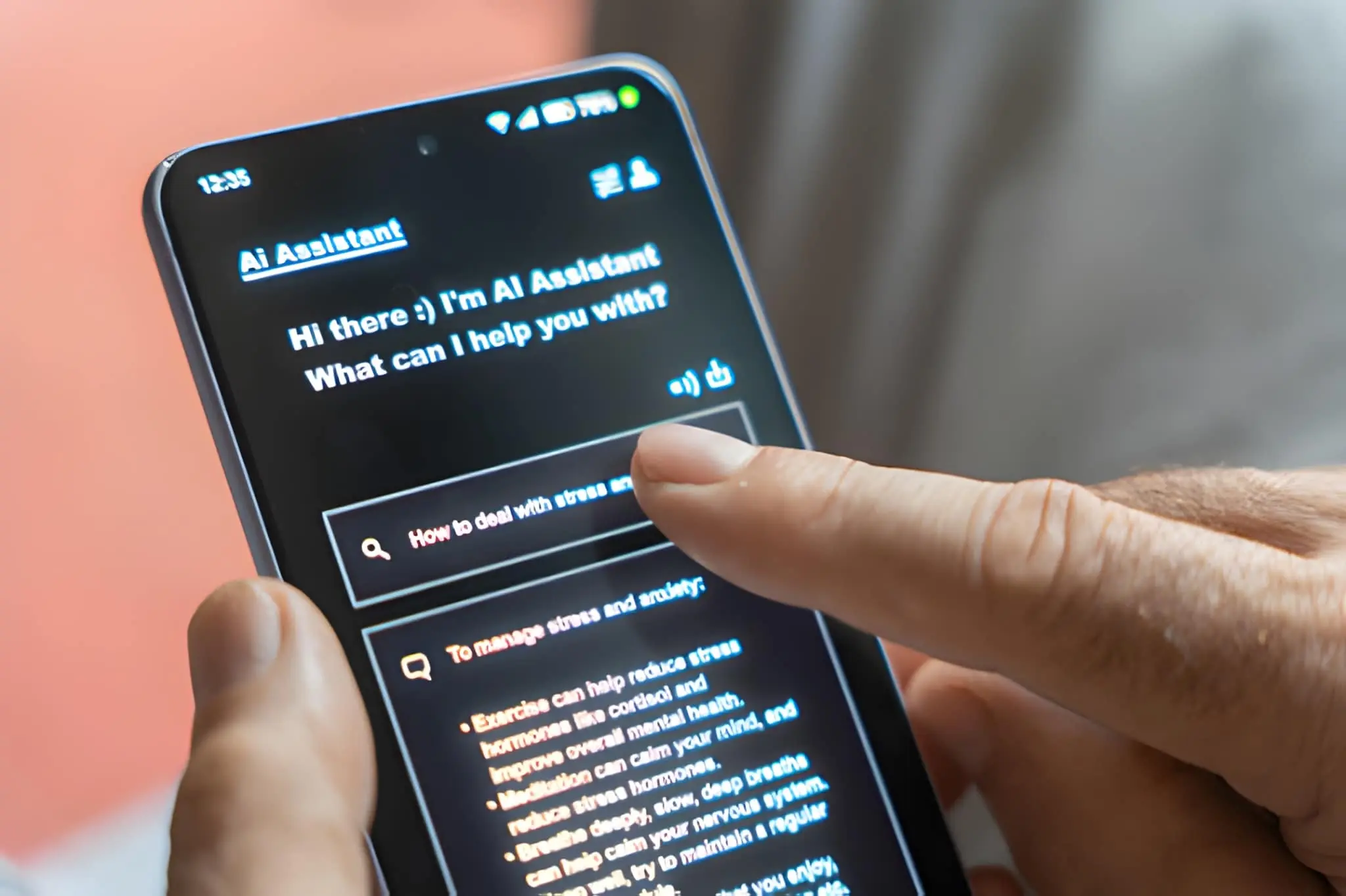 These are beginner-friendly prompts you can reuse daily.
1. Reply Writing
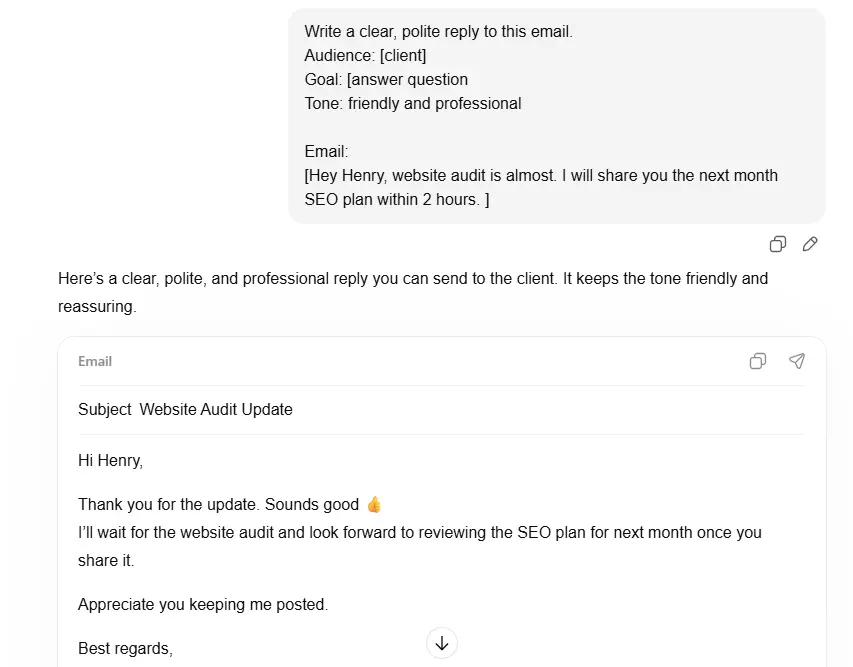
Write a clear, polite reply to this email.
Audience: [client / boss / customer]
Goal: [answer question, confirm, say no]
Tone: friendly and professional
Email:
[PASTE EMAIL]
2. Subject Line Generator
Write 5 clear subject lines for this email.
Audience: busy professional
Style: short and specific
Email:
[PASTE EMAIL]
3. Change Tone
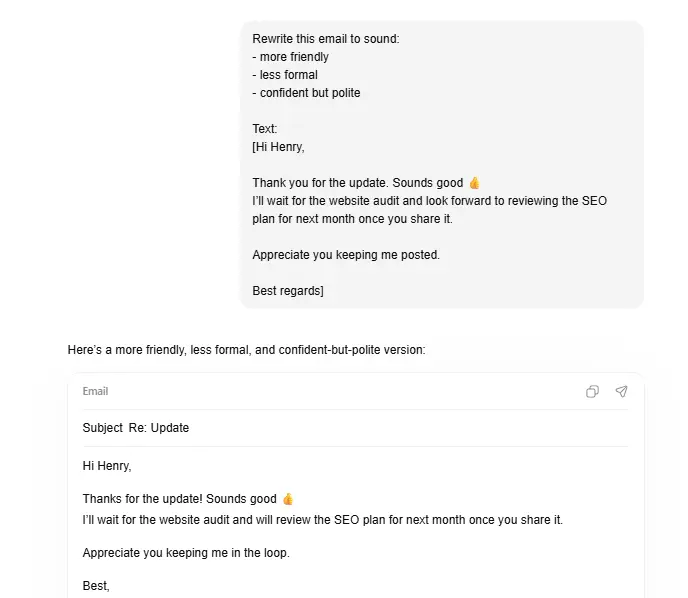 Rewrite this email to sound:
– more friendly
– less formal
– confident but polite
Text:
[PASTE EMAIL]
4. Follow-Up Email
Write a short follow-up email.
Context: sent 5 days ago, no reply
Tone: polite, not pushy
Goal: get a response
Original email:
[PASTE EMAIL]
Email Writing Workflows (Manual + Automated)
Gmail Workflow (Safe & Simple)
- Draft your email in Gmail
- Copy it into ChatGPT
- Improve tone or clarity
- Paste back and review
- Send manually
Tip: Never connect ChatGPT directly to Gmail auto-send features.
Outlook Workflow
- Same copy–paste method
- Use ChatGPT for:
- Subject lines
- Meeting confirmations
- Client updates
Many Outlook add-ins exist, but manual review is safer.
Zapier / Make (Advanced, With Care)
Use automation only for drafting, not sending.
Safe setup:
- Trigger: New support ticket or form
- Action: Generate draft with ChatGPT
- Human reviews → manually sends
This avoids privacy and compliance issues.
Email Templates (Ready to Use)
1. Cold Outreach
![Example of a cold outreach email template with subject “Quick question about [company]” used for business prospecting and lead generation](https://techaitech.com/wp-content/uploads/2026/01/Cold-Outreach.webp) Subject: Quick question about [company]
Subject: Quick question about [company]
Hi [Name],
I came across [specific detail] and thought I’d reach out.
We help [type of business] with [clear benefit].
If this is relevant, happy to share more.
If not, no worries at all.
Best,
[Your Name]
2. Follow-Up
Hi [Name],
Just checking in on my message below.
Happy to answer questions or reconnect later if now isn’t a good time.
Best,
[Your Name]
3. Meeting Booking
Hi [Name],
Would you be available for a 20-minute call this week or next?
I’m free [2–3 time options].
Looking forward to it,
[Your Name]
4. Apology Email
Hi [Name],
I’m sorry for the delay/confusion earlier.
That’s on me, and I appreciate your patience.
Here’s the update: [solution or next step].
Thanks,
[Your Name]
5. Customer Support Reply
Hi [Name],
Thanks for reaching out.
I understand the issue, and I’m happy to help.
Here’s what you can do next: [clear steps].
If you need more help, just reply.
Best,
[Support Name]
Prompt Engineering (Beginner-Friendly)
 Better input = better output.
Always include:
- Original email
- Who it’s for
- Your goal
- Desired tone
Bad Prompt
“Fix this email”
Good Prompt
Rewrite this email.
Audience: upset customer
Goal: calm them and explain delay
Tone: empathetic and professional
Email:
[TEXT]
Mini Case Study: Before & After
Raw Draft
“Sorry for the delay. We were busy. Your issue should be fixed now.”
ChatGPT-Improved
“Thank you all for your patience, and sorry about the delay
We had more requests than usual. Your problem has been addressed now.
I would appreciate you letting me know if any other concerns arise.”
Result: Same message, more trust, less friction.
Tools & Plugins (Know the Risks)
Popular tools:
- ChatGPT Writer
- Outlook AI add-ins
- Gmail extensions
Risks to watch:
- Full inbox access
- Auto-sending emails
- Storing sensitive data
If an application has the potential to send emails without review, do not use it.
Ethics, Privacy and Safety (Significant)
- Don’t paste confidential data
- Don’t auto-send AI emails
- Always review before sending
- Follow GDPR and company policies
As business specialists always advise, AI should help people not take over judgment. Consider it as a tool for drafting and not for decision-making.
Troubleshooting Common Problems
Output sounds robotic?
Prompt fix:
Rewrite this to sound natural and human.
Short sentences. Plain language.
Wrong facts?
Prompt fix:
Do not add new facts.
Only rewrite what’s already stated.
Does the tone feel off?
Prompt fix:
WRITE AGAIN with a warmer, EXTRA conversational tone.
Conclusion
ChatGPT doesn’t replace your voice—it helps you find it faster.
For small business owners, managers, and busy professionals, it turns email from a daily burden into a quick task. Start small: rewrite a single email today. With the correct prompts & safe workflows, you’ll write clearer, faster, & more confident emails without losing the human touch.
FAQs (Quick Answers)
Can ChatGPT write emails for work?
Yes, as a drafting and editing assistant.
Is it safe for business emails?
Yes, if you avoid sensitive data and review before sending.
Will recipients know it’s AI-written?
Not if you edit lightly and keep language simple.
Can I automate emails fully?
Drafting only. Always keep a human review.
Is ChatGPT the best for beginners?
Yes—easy prompts work very easily.