



































• About Us
  • Contact Us
  • Write for Us
  • Privacy Policy
  • Terms & Conditions
Tech News, Magazine & Review WordPress Theme 2017
  • Technology
    A perfectly arranged ergonomic home office desk setup in 2026 showing correct monitor height, chair posture, keyboard position, and neutral sitting posture for productivity and pain prevention

    Best Ergonomic Desk Setup for Home Office (Complete 2026 Guide)

    How Does Two-Factor Authentication (2FA) Work? A Simple Guide & Setup Checklist

    How Does Two-Factor Authentication (2FA) Work? A Simple Guide & Setup Checklist

    HDIntranet employee login screen concept showing secure corporate intranet dashboard on a laptop

    What Is HDIntranet? Complete Guide to hdintranet.com, Login Access, and Safety

    A laptop on a wooden desk showing an API interface screen, surrounded by a notebook, phone, and coffee mug – symbolizing how APIs connect different software tools, ideal for a beginner-friendly blog on APIs for non-programmers.

    Understanding APIs: A Guide for Non-Programmers

    Xcode tutorial for beginners showing the Xcode interface with Swift code and an iPhone simulator for building iOS apps

    Xcode Tutorial for Beginners — What It Is & How to Use It (2026)

    HTTP vs HTTPS diagram showing HTTP with SSL certificate creating a secure HTTPS connection

    Difference Between HTTP and HTTPS Explained: My Personal Guide

  • AI (Artificial Intelligence)
    ChatGPT Wrong Answers – Why AI Gets It Wrong (Explained)

    ChatGPT Wrong Answers – Why AI Gets It Wrong (Explained)

    Alt Text: A digital marketer using AI tools on a laptop to automate and optimize email marketing campaigns in 2026, with email analytics dashboard and AI interface on screen

    How to Use AI for Email Marketing Campaigns: A Step-by-Step Guide (2026)

    What is the Difference Between AI and Machine Learning?

    What is the Difference Between AI and Machine Learning?

    A determined female self-taught data scientist working at a home desk with a 2025 roadmap whiteboard, Python code on a monitor, and data visualization projects.

    How to Become a Data Scientist Without a Degree — Step-by-Step Roadmap & Portfolio Plans

    ChatGPT interface on mobile devices showing light and dark mode, illustrating how to use ChatGPT for writing clear and professional work emails faster

    How to Use ChatGPT for Email Writing (Faster, Clearer, More Human)

    ChatGPT vs Claude for Coding: Which Is Better for Python Beginners

    ChatGPT vs Claude for Coding: Which Is Better for Python Beginners?

    Matarecycler

    Matarecycler: Smart Recycling Solution Transforming Waste 2025

    Trwho.com Tech

    Trwho.com Tech: Guide to Its Features and Smart Uses in 2025

    Small Business Content Strategy

    7-Day AI-Powered Content Plan: Small Business Content Strategy

  • Digital Marketing
    A digital marketer analyzing bounce rate and exit rate metrics in Google Analytics 4 on a laptop with session data funnel charts and page exit reports visible on screen in 2026

    Bounce Rate vs Exit Rate: Key Differences, Formulas & How to Fix Both (2026)

    A digital marketer tracking conversions in Google Analytics 4 on a laptop showing key events dashboard session data and campaign attribution reports in 2026

    The Master Guide to Modern Analytics: How to Track Conversions in GA4

    A digital marketer building UTM tracking parameters for a marketing campaign using Google Analytics 4 dashboard with campaign traffic sources visible on screen in 2026

    UTM Parameters Explained: A Complete Guide to Tracking, Building & Using Them (2026)

    A digital marketer writing SEO-optimized meta descriptions on a laptop with Google search results visible on screen, showing click-through rate analytics in 2026

    How to Write a Meta Description That Increases Clicks: A Complete Guide (2026)

    Alt Text: A digital marketer using AI tools on a laptop to automate and optimize email marketing campaigns in 2026, with email analytics dashboard and AI interface on screen

    How to Use AI for Email Marketing Campaigns: A Step-by-Step Guide (2026)

    A professional split-screen conceptual image showing a modern law firm building, a Google Map Pack interface with high rankings, and an attorney shaking hands with a client in a sunlit office, representing law firm growth through local SEO.

    Local SEO for Lawyers: The Complete 2026 Guide (That Actually Gets You Cases)

    A modern home office desk with a laptop showing AI writing software interfaces and a $50 budget icon, representing affordable AI blogging tools.

    AI Tools for Bloggers (Under $50/month): Affordable AI Writing Tools & Workflows

    Beginner blogger working on a laptop showing blog monetization strategies like ads, affiliate marketing, and digital products in 2026

    Blog Monetization for Beginners 2026: A Complete Guide

    Plumber working on plumbing systems with a Google My Business logo, illustrating the importance of local SEO for plumbers.

    How to Rank a Plumbing Business on Google (Complete Local SEO Guide)

  • EdTech
    Split graphic comparing Coursera and Udemy logos with bold text reading "Coursera vs Udemy – Beginners Guide", highlighting a visual contrast between the two online learning platforms for a 2026 blog article.

    Coursera vs Udemy for Beginners (2026): Which Should You Choose?

  • Business
    A small business owner building customer loyalty and retention using digital tools and personal communication strategies in 2026

    12 Proven Customer Retention Strategies for Small Business Owners (2026 Guide)

    Remote virtual assistant working from home office with laptop, planner and coffee, planning 90 day roadmap to start online business

    How to Become a Virtual Assistant from Home — Starter Guide & 90-Day Plan

    A collaborative backcasting room strategy meeting where a team plans future business goals using milestone mapping, human-focused SEO planning, and competitor analysis without AI-generated jargon.

    Backcasting: Strategic Planning Framework to Achieve Your Vision

    Woman working on a laptop at home while learning how to start a freelance writing business, with text overlay about a beginner freelance writing guide.

    How to Start a Freelance Writing Business (Beginner Guide 2026)

  • Software
    Split-screen comparison of free Photoshop alternatives in 2026 including Photopea, GIMP, Krita, and Darktable interfaces on a modern desktop monitor

    Free Photoshop Alternatives (2026) — Best Picks by Task & PSD Migration Tips

    Person transferring large files on laptop using modern cloud file sharing tools like WeTransfer and Google Drive, representing Files Over Miles alternatives in 2026

    Files Over Miles Alternatives (2026) — Fast & Free Large File Sharing Updated February 2026 | Beginner-Friendly

    Google Workspace for Small Businesses: Complete Setup Guide & Tips

    Google Workspace for Small Businesses: Complete Setup Guide & Tips

    Person holding two smartphones displaying Skillshare and MasterClass apps side by side, representing a detailed comparison of online learning platforms for skills, creativity, and career growth

    Skillshare vs MasterClass Comparison (2026): An Honest, Simple Guide for Real Learners

    Laptop on a desk displaying a Canva presentation editor with marketing strategy slides, showing how to create a presentation in Canva step by step.

    How to Create a Presentation in Canva (Simple Step-by-Step Guide)

    How to Use Notion for Project Management

    How to Use Notion for Project Management: A Simple Beginner Guide

No Result
View All Result
  • Technology
    A perfectly arranged ergonomic home office desk setup in 2026 showing correct monitor height, chair posture, keyboard position, and neutral sitting posture for productivity and pain prevention

    Best Ergonomic Desk Setup for Home Office (Complete 2026 Guide)

    How Does Two-Factor Authentication (2FA) Work? A Simple Guide & Setup Checklist

    How Does Two-Factor Authentication (2FA) Work? A Simple Guide & Setup Checklist

    HDIntranet employee login screen concept showing secure corporate intranet dashboard on a laptop

    What Is HDIntranet? Complete Guide to hdintranet.com, Login Access, and Safety

    A laptop on a wooden desk showing an API interface screen, surrounded by a notebook, phone, and coffee mug – symbolizing how APIs connect different software tools, ideal for a beginner-friendly blog on APIs for non-programmers.

    Understanding APIs: A Guide for Non-Programmers

    Xcode tutorial for beginners showing the Xcode interface with Swift code and an iPhone simulator for building iOS apps

    Xcode Tutorial for Beginners — What It Is & How to Use It (2026)

    HTTP vs HTTPS diagram showing HTTP with SSL certificate creating a secure HTTPS connection

    Difference Between HTTP and HTTPS Explained: My Personal Guide

  • AI (Artificial Intelligence)
    ChatGPT Wrong Answers – Why AI Gets It Wrong (Explained)

    ChatGPT Wrong Answers – Why AI Gets It Wrong (Explained)

    Alt Text: A digital marketer using AI tools on a laptop to automate and optimize email marketing campaigns in 2026, with email analytics dashboard and AI interface on screen

    How to Use AI for Email Marketing Campaigns: A Step-by-Step Guide (2026)

    What is the Difference Between AI and Machine Learning?

    What is the Difference Between AI and Machine Learning?

    A determined female self-taught data scientist working at a home desk with a 2025 roadmap whiteboard, Python code on a monitor, and data visualization projects.

    How to Become a Data Scientist Without a Degree — Step-by-Step Roadmap & Portfolio Plans

    ChatGPT interface on mobile devices showing light and dark mode, illustrating how to use ChatGPT for writing clear and professional work emails faster

    How to Use ChatGPT for Email Writing (Faster, Clearer, More Human)

    ChatGPT vs Claude for Coding: Which Is Better for Python Beginners

    ChatGPT vs Claude for Coding: Which Is Better for Python Beginners?

    Matarecycler

    Matarecycler: Smart Recycling Solution Transforming Waste 2025

    Trwho.com Tech

    Trwho.com Tech: Guide to Its Features and Smart Uses in 2025

    Small Business Content Strategy

    7-Day AI-Powered Content Plan: Small Business Content Strategy

  • Digital Marketing
    A digital marketer analyzing bounce rate and exit rate metrics in Google Analytics 4 on a laptop with session data funnel charts and page exit reports visible on screen in 2026

    Bounce Rate vs Exit Rate: Key Differences, Formulas & How to Fix Both (2026)

    A digital marketer tracking conversions in Google Analytics 4 on a laptop showing key events dashboard session data and campaign attribution reports in 2026

    The Master Guide to Modern Analytics: How to Track Conversions in GA4

    A digital marketer building UTM tracking parameters for a marketing campaign using Google Analytics 4 dashboard with campaign traffic sources visible on screen in 2026

    UTM Parameters Explained: A Complete Guide to Tracking, Building & Using Them (2026)

    A digital marketer writing SEO-optimized meta descriptions on a laptop with Google search results visible on screen, showing click-through rate analytics in 2026

    How to Write a Meta Description That Increases Clicks: A Complete Guide (2026)

    Alt Text: A digital marketer using AI tools on a laptop to automate and optimize email marketing campaigns in 2026, with email analytics dashboard and AI interface on screen

    How to Use AI for Email Marketing Campaigns: A Step-by-Step Guide (2026)

    A professional split-screen conceptual image showing a modern law firm building, a Google Map Pack interface with high rankings, and an attorney shaking hands with a client in a sunlit office, representing law firm growth through local SEO.

    Local SEO for Lawyers: The Complete 2026 Guide (That Actually Gets You Cases)

    A modern home office desk with a laptop showing AI writing software interfaces and a $50 budget icon, representing affordable AI blogging tools.

    AI Tools for Bloggers (Under $50/month): Affordable AI Writing Tools & Workflows

    Beginner blogger working on a laptop showing blog monetization strategies like ads, affiliate marketing, and digital products in 2026

    Blog Monetization for Beginners 2026: A Complete Guide

    Plumber working on plumbing systems with a Google My Business logo, illustrating the importance of local SEO for plumbers.

    How to Rank a Plumbing Business on Google (Complete Local SEO Guide)

  • EdTech
    Split graphic comparing Coursera and Udemy logos with bold text reading "Coursera vs Udemy – Beginners Guide", highlighting a visual contrast between the two online learning platforms for a 2026 blog article.

    Coursera vs Udemy for Beginners (2026): Which Should You Choose?

  • Business
    A small business owner building customer loyalty and retention using digital tools and personal communication strategies in 2026

    12 Proven Customer Retention Strategies for Small Business Owners (2026 Guide)

    Remote virtual assistant working from home office with laptop, planner and coffee, planning 90 day roadmap to start online business

    How to Become a Virtual Assistant from Home — Starter Guide & 90-Day Plan

    A collaborative backcasting room strategy meeting where a team plans future business goals using milestone mapping, human-focused SEO planning, and competitor analysis without AI-generated jargon.

    Backcasting: Strategic Planning Framework to Achieve Your Vision

    Woman working on a laptop at home while learning how to start a freelance writing business, with text overlay about a beginner freelance writing guide.

    How to Start a Freelance Writing Business (Beginner Guide 2026)

  • Software
    Split-screen comparison of free Photoshop alternatives in 2026 including Photopea, GIMP, Krita, and Darktable interfaces on a modern desktop monitor

    Free Photoshop Alternatives (2026) — Best Picks by Task & PSD Migration Tips

    Person transferring large files on laptop using modern cloud file sharing tools like WeTransfer and Google Drive, representing Files Over Miles alternatives in 2026

    Files Over Miles Alternatives (2026) — Fast & Free Large File Sharing Updated February 2026 | Beginner-Friendly

    Google Workspace for Small Businesses: Complete Setup Guide & Tips

    Google Workspace for Small Businesses: Complete Setup Guide & Tips

    Person holding two smartphones displaying Skillshare and MasterClass apps side by side, representing a detailed comparison of online learning platforms for skills, creativity, and career growth

    Skillshare vs MasterClass Comparison (2026): An Honest, Simple Guide for Real Learners

    Laptop on a desk displaying a Canva presentation editor with marketing strategy slides, showing how to create a presentation in Canva step by step.

    How to Create a Presentation in Canva (Simple Step-by-Step Guide)

    How to Use Notion for Project Management

    How to Use Notion for Project Management: A Simple Beginner Guide

No Result
View All Result
Tech AI Tech
No Result
View All Result
Home Digital Marketing

The Master Guide to Modern Analytics: How to Track Conversions in GA4

Ahsan Qazi by Ahsan Qazi
May 8, 2026
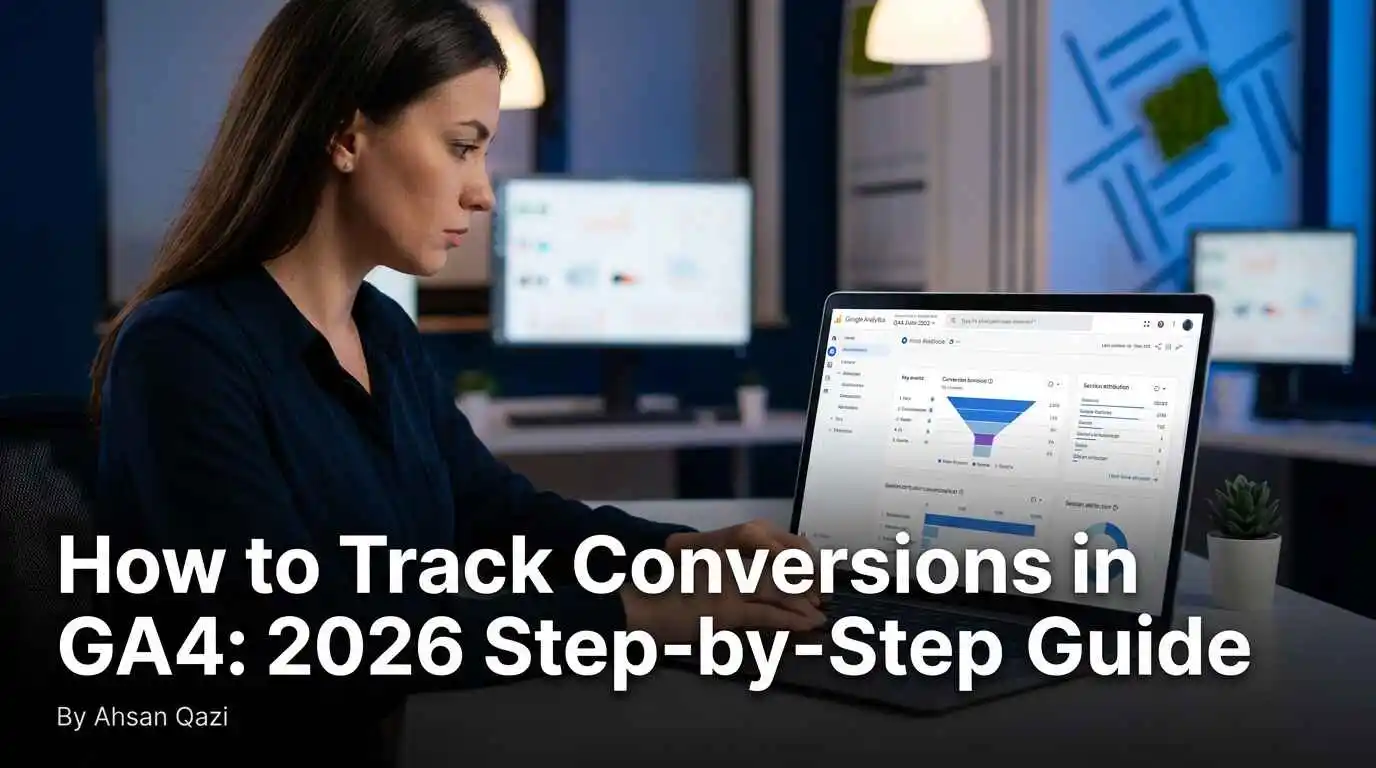
A digital marketer tracking conversions in Google Analytics 4 on a laptop showing key events dashboard session data and campaign attribution reports in 2026
Share on FacebookShare on Twitter

The last few years have completely transformed digital marketing. The analytics dashboard has completely changed. If you’re still looking for the old “Goals” tab, you would have realized this by now. Google Analytics 4 (GA4) is not an update but a completely different engine altogether. Learning how to measure conversions in GA4 is no longer just a ‘nice to have’ skill – it is the beating heart of your strategy. Without it, you are just guessing what works and what parts of your website are making money and what’s wasting your hosting budget.

Table of Contents

Toggle
  • The Mental Shift: From Sessions to Events
  • Setting the Foundation: Enhanced Measurement
  • Creating Custom Events: The Manual Approach
  • The Power of Google Tag Manager (GTM)
  • Why Your Data Might Be Lying to You (Troubleshooting)
  • Using DebugView: The Safety Net
  • Conversion Paths and Attribution
  • Impact on SEO and AdSense Approval
  • Advanced Techniques: Audiences and Retargeting
  • Final Checklist for Success
  • Summary
  • Common FAQ for GA4 Conversion Tracking
    • Can I still track conversions by URL destination?
    • How long does it take for conversion data to show up in reports?
    • Do I need to be a coder to track conversions?
    • Why is my conversion count different from my actual sales?

The Mental Shift: From Sessions to Events

We have to first unlearn how the old “Universal Analytics” worked to grasp how to track conversions in GA4. The previous system was based exclusively on sessions and pageviews. It was meant to be used in a world where someone sat at a desktop computer and clicked through from page to page. These days, we use apps, consume long-form text, click pop-ups, and engage with videos.

Google understood that a “pageview” doesn’t tell the full story. In GA4, everything counts as an “Event.” Pageview is an Event. An event is a scroll. A click denotes a unique event. This transition is, in fact, a great benefit for small business owners and content creators. In other words, you can evaluate the worth of an interaction and not just the fact that they landed on your URL. However, the concern, according to them, is the cluttering of the dashboard when everything is an event. You must learn to filter out the noise and extract the “Key Events” that truly lead to revenue or AdSense-worthy engagement.

Setting the Foundation: Enhanced Measurement
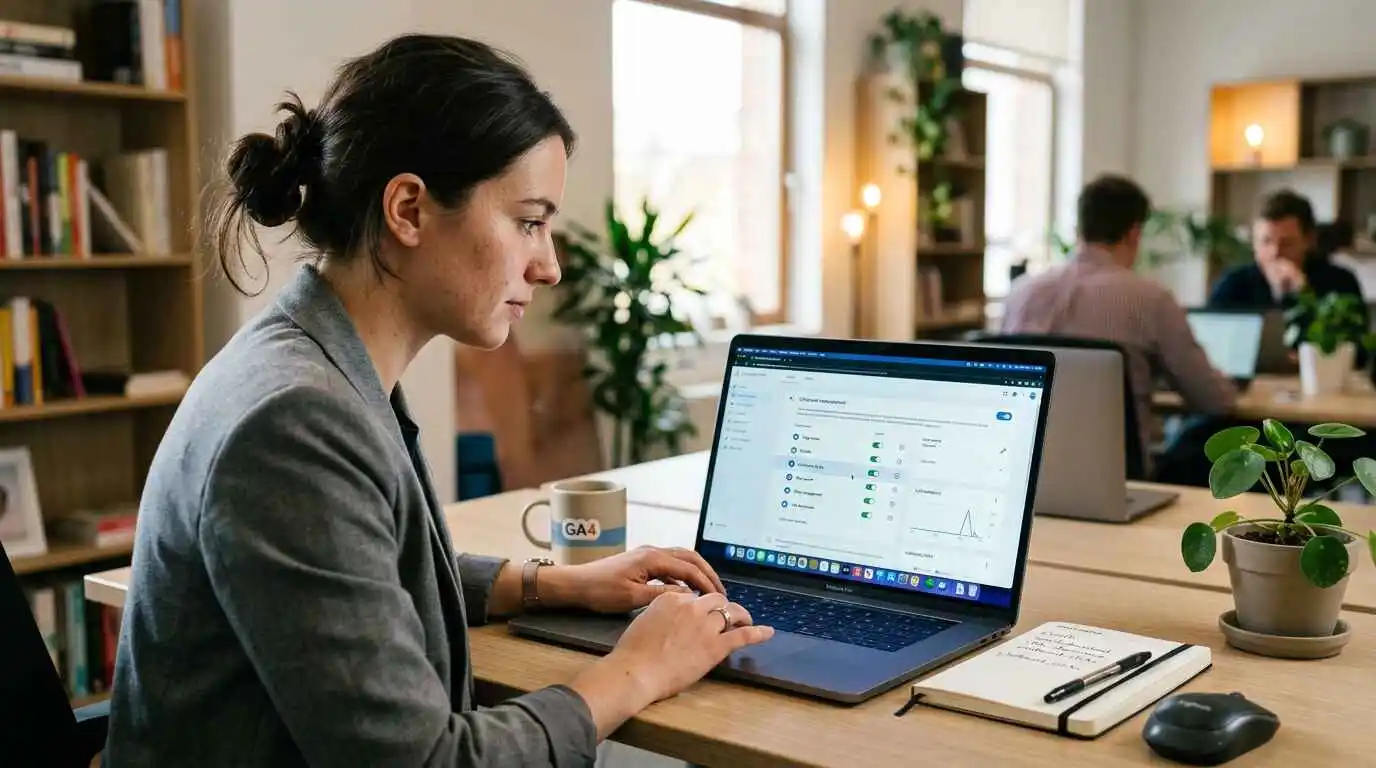
Google Analytics 4 enhanced measurement dashboard showing automatic event tracking setup for outbound clicks, file downloads, and conversions on a laptop screen.Before you begin building elaborate tracking systems, take a look at what Google is already providing.  Enhanced Measurement is a feature that is ideal for non-technical users. It is an internal system that allows Google to automatically track useful actions without writing code or setting up a tag. 

When you access your Admin settings and check out your Data Stream, there should be a toggle for Enhanced Measurement. With this turned on, GA4 will track outbound clicks, site searches, and file downloads. For a lot of bloggers, a file download (like a free PDF guide) is a conversion. When you have this turned on, the other half of learning how to track conversions in GA4 has already been done. You simply need to notify Google that these particular auto events are your “Key Events.”

For the complete step-by-step process of marking any event as a Key Event inside your Admin panel, Google’s official GA4 Key Events guide walks you through every setting with screenshots. 

Creating Custom Events: The Manual Approach

While automatic tracking is useful, it does not cover everything. Suppose you have a generic lead form “Submit” button, or a “Buy Now” button that doesn’t point to a unique thank-you page. Google will not automatically recognize that this click is your main goal. This is when you would want to create an event manually.

To do this, go to the “Events” tab in your Admin panel. You will see an option to Create Event, which is basically Google saying, “When a user clicks on a button, and a URL contains contact-us, record a new event contact_form_submit”. This level of customisation is just how to track conversions in GA4 for professional-grade websites. You’re not merely accepting what Google provides you; you’re specifying what success looks like for your unique business.

The Power of Google Tag Manager (GTM)

To get a fast ranking and show Google that your site is professionally managed, you should use Google Tag Manager (GTM). GTM serves as a mediator. Rather than placing dozens of various tracking codes on your website (which slows it down and hurts your SEO), you place one GTM code.

Within GTM, you can set up “Triggers.” For example, you could create a trigger that only fires if someone spends longer than 60 seconds on a specific page AND scrolls all the way to the bottom. This conversion indicates a high level of engagement. Transmitting this data to GA4 allows you to see which of your blog posts are being read and which ones people are leaving immediately 

Before you dive into GTM, make sure your site is running on HTTPS. If you’re still on HTTP, tracking data can break mid-session, and your conversion numbers will be unreliable — our guide on HTTP vs HTTPS explains exactly why this matters for site security and data integrity.

Learning GTM is such a benefit. It is the “pro level” of knowing how to track conversions in GA4.

The New 2026 Terminology: Key Events vs. Conversions

Due to interface label changes made by Google recently, things are getting very hard to understand for everyone. There was a time when we referred to everything as a “Conversion.” Now, Google is calling them “Key Events.”

Essentially, a Key Event means something significant your business does inside Google Analytics. When you want to determine which blog post resulted in a newsletter signup, you turn to Key Events. Generally, a conversion is a term that is used when you are talking about Google Ads. When your Key Event is exported to Google Ads for bidding, it turns into a Conversion.

If you run both GA4 and Google Ads from the same account, this distinction becomes critical. Google has published a clear breakdown in their official article Conversions vs. Key Events in Google Analytics — worth bookmarking if you manage paid campaigns. 

Though it might seem like a minor detail, it greatly helps in keeping things clear if you’re trying to explain a chart from your data to the client or looking at your own reports. Tracking conversions in GA4 is a fundamental feature of the modern workflow that cannot be ignored.

Why Your Data Might Be Lying to You (Troubleshooting)
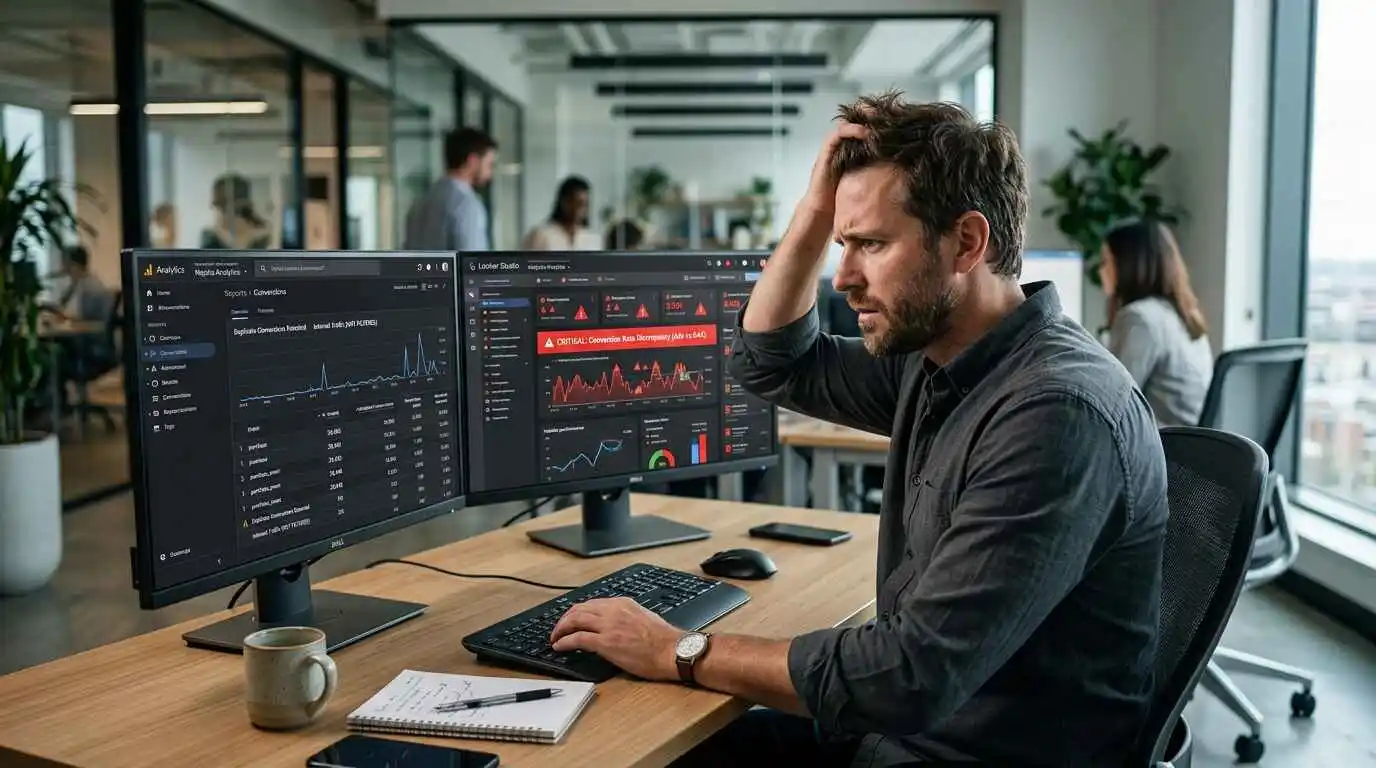
Website owner reviewing inaccurate Google Analytics conversion data caused by internal traffic and duplicate conversions on multiple monitors.Website owners are often frustrated when they receive a “zero” when they see that people normally buy, or a “double” when they only had that. This usually occurs due to “Internal Traffic” or “Unwanted Referrals.”

Picture visiting your own site as many as ten times per day to check on your design.  If your IP address isn’t filtered, GA4 sees you as a visitor.  If you click on your own buttons to test them, you are inflating conversion data.  To fix this issue, head into your Data Stream settings and define your internal traffic.

Another common issue is refreshing the “Thank You” page. If a user visits your success page and bookmarks it, then opens it again the next day, GA4 counts this as a second conversion.  To prevent the aforementioned issue, it is advised that you set up either once per session or once per event. methods. The accuracy outlined above is the difference between a novice and someone with true expertise in conversion tracking in GA4.

For anyone who wants to go deeper on data accuracy and event parameters, Google Developers’ official GA4 Events reference is the most reliable technical resource — directly from the engineers who built the platform. 

Using DebugView: The Safety Net

Never release a new tracking event without first testing it. GA4 has a nifty feature called “DebugView,” which displays a stream of your device’s data in real time. If you navigate through your site, you’ll quickly see those events appearing in the timeline.

If you’ve configured a conversion for newsletter signups, head over to your website, register, and observe DebugView. If you notice the event appears with a little green flag icon, then it is working.  Having a ‘test-first’ mentality is the best practice for tracking conversions in GA4.

Conversion Paths and Attribution
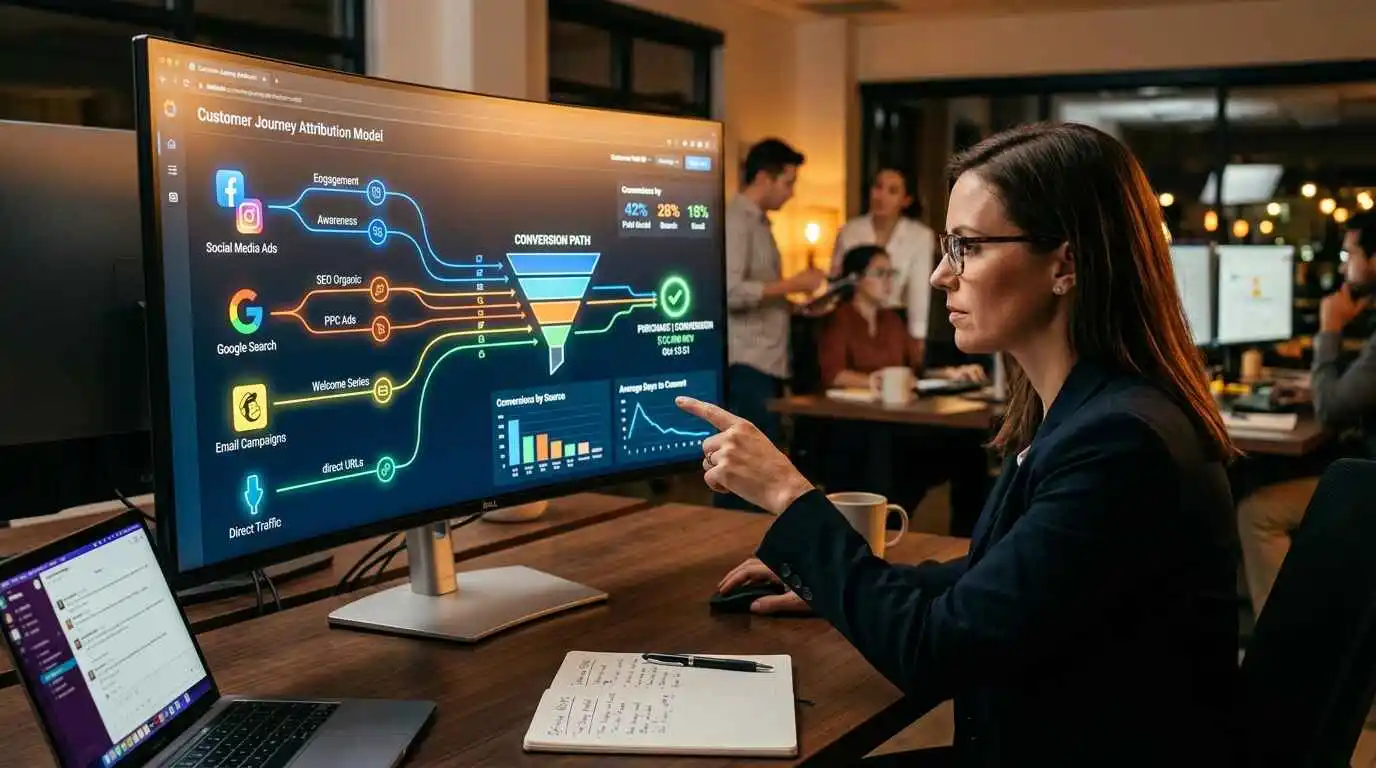
Digital marketing attribution model visualization showing customer journey from social media, Google search, and direct website visits in GA4 analytics.After the data starts coming in, the next question is, “Which marketing channel gets the credit?” Back in the day, we used “Last Click” attribution. If a person saw your ad on Facebook, then searched for you on Google, and then typed in your URL to buy, that “Direct” visit would get 100% of the credit. Facebook and Google Search were treated unfairly.

GA4 uses Data Driven Attribution. Data Driven Attribution uses machine learning to look at the whole journey. The first search might get 30% credit, the social media click 20%, and the final visit 50% for conversion value. Your “Conversion Paths” report gives you a much more honest picture of your marketing ROI.

To properly track which campaigns are sending traffic in the first place, pair your GA4 setup with UTM parameters — without them, GA4 often misattributes your best channels as “Direct” traffic, which makes your attribution data almost meaningless. 

Impact on SEO and AdSense Approval

When using an AdSense website, you may ask why I need such detailed tracking. Google appreciates data-driven publishers. When you set your tracking up properly, it shows Google you are a serious site owner. You can also measure “engagement conversions” (how many people spend at least 5 minutes reading your stuff) to see what topics they enjoy reading.

If you write more of what people actually convert on, time on site goes up, Engagement Rate improves, and you see a natural lift in SEO rankings. A good habit that pairs well with this is optimising your meta descriptions — because higher click-through rates from search directly feed into stronger GA4 engagement signals. 

Advanced Techniques: Audiences and Retargeting
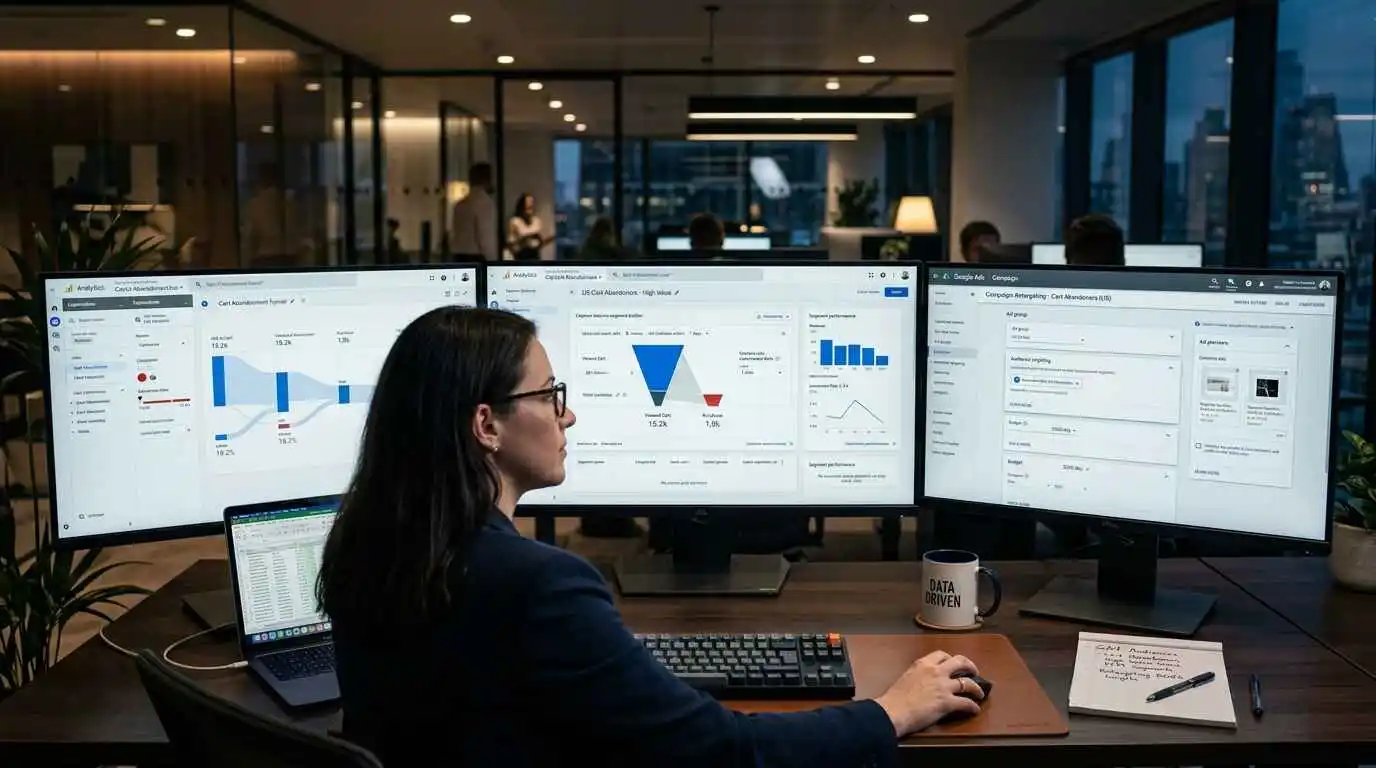
Digital marketer creating custom audiences and retargeting campaigns in Google Analytics 4 for abandoned checkout users and targeted advertising.You can build “Audiences” once you have your conversions tracked. For example, you could take a list of people who “Started a checkout but did not finish”. You can then show them custom content on your site or run highly targeted ads to them.

This is where the big bucks are made. You are no longer showing the same message to everyone. You are talking to people based on their past actions. This process of tracking, analysing, and retargeting is the gold standard of digital marketing. And knowing how to track conversions in GA4 is the first step to doing this successfully.

Once your tracking is solid, the next logical step is figuring out how to actually make money from that data — our guide on blog monetization for beginners walks you through exactly how GA4 insights connect to real revenue strategies for 2026. 

Final Checklist for Success

Make sure you are frequently checking your analytics to determine whether your content marketing is worth your time.  Try this brief checklist!

  • Enable Enhanced Measurement for basic clicks and scrolls.
  • Exclude the IP address of your work or home.
  • This data retention mistake is common – changing from 2 months to 14 months.
  • Connect your GA4 property with your Google Ads and Google Search Console accounts.
  • Using DebugView with your data, see if all key events are present.

Summary

Understanding the process of tracking conversions in GA4 is a journey and not a destination. As your site develops, your goals will change. At first, you might just be tracking page views. Eventually, you will be tracking video engagement, form completions, and complex e-commerce purchases.

Get started today on the most important thing, don’t wait! However new your site is, it does not have enough traffic yet. When your website traffic increases, ensure that you already have everything set up to make the most of this increased traffic through tracking and analytics, so you can convert it to sales. GA4 is a powerful tool, probably the most powerful free tool a website owner can use today. After learning how to track conversions, you are far ahead of the competition, who are still playing guesswork with their traffic. 

Avoid flying in the dark. Employ the directions in this guide to gain insights into your user trends. When you know how to track conversions in GA4, you will have the key to the growth and long-term success of your website in 2026 and after.

Common FAQ for GA4 Conversion Tracking

Can I still track conversions by URL destination?

Certainly! Although anything can be considered an event, you can still set an event that only fires with a page_view event that has a matching 'page_location' (for example, your /thank-you page). The easiest way through is to switch to the new system.

How long does it take for conversion data to show up in reports?

We will complete your reports within a maximum 24-48-hour time frame. Debug View, or real-time reporting, gives you instant access to all your tag attachments.

Do I need to be a coder to track conversions?

To make tracking faster, utilize the simple triggers from Google Tag Manager or GA4’s interface. Yet, it does not hurt to have at least a basic idea of URLs and buttons.

Why is my conversion count different from my actual sales?

This is often because of cookie consent banners. When users opt out of cookies, GA4 loses access. In the year 2026, due to privacy laws such as GDPR, CCPA, and others, we expect more of this “data gap” to appear.


 

Ahsan Qazi

Ahsan Qazi

Ahsan Qazi is a senior SEO specialist with 5 + years of experience helping businesses grow in an evolving search landscape. His expertise spans AI Search Optimization, zero-click SEO, advanced technical SEO, local SEO, and structured data strategies. At TechAiTech, Ahsan brings deep knowledge in optimizing for Google’s AI Overviews, SGE, and emerging search models. He is known for building content authority, improving LLM source citations, and developing AI-ready search strategies that stay effective even during algorithm volatility. Ahsan contributes in-depth analysis, optimization models, and editorial guidance to strengthen TechAiTech’s authority across the tech industry.

Next Post
A digital marketer analyzing bounce rate and exit rate metrics in Google Analytics 4 on a laptop with session data funnel charts and page exit reports visible on screen in 2026

Bounce Rate vs Exit Rate: Key Differences, Formulas & How to Fix Both (2026)

Recommended.

Student-friendly laptops under $500 displayed with text “Best laptops under $500 for students,” suitable for Zoom classes, online learning, and virtual meetings

Best Laptops Under $500 for Students – A Smart Buying Guide for 2026

January 18, 2026
A collaborative backcasting room strategy meeting where a team plans future business goals using milestone mapping, human-focused SEO planning, and competitor analysis without AI-generated jargon.

Backcasting: Strategic Planning Framework to Achieve Your Vision

January 25, 2026

Trending.

A small business owner building customer loyalty and retention using digital tools and personal communication strategies in 2026

12 Proven Customer Retention Strategies for Small Business Owners (2026 Guide)

May 4, 2026
Young woman sitting on a couch at home checking her affordable fitness smartwatch connected to a tablet, demonstrating budget smartwatch tracking features like heart rate and workout monitoring.

Best Affordable Smartwatches for Fitness Tracking (2026 Guide)

February 21, 2026
A digital marketer writing SEO-optimized meta descriptions on a laptop with Google search results visible on screen, showing click-through rate analytics in 2026

How to Write a Meta Description That Increases Clicks: A Complete Guide (2026)

April 17, 2026
A digital marketer tracking conversions in Google Analytics 4 on a laptop showing key events dashboard session data and campaign attribution reports in 2026

The Master Guide to Modern Analytics: How to Track Conversions in GA4

May 8, 2026
A digital marketer building UTM tracking parameters for a marketing campaign using Google Analytics 4 dashboard with campaign traffic sources visible on screen in 2026

UTM Parameters Explained: A Complete Guide to Tracking, Building & Using Them (2026)

May 6, 2026
Tech AI Tech

TechAiTech is a modern tech publication covering Technology, AI, Gadgets, Software, Digital Marketing, Business Tech, and EdTech. We share simple guides, honest reviews, and clear insights to help readers stay updated and make smart tech decisions.

Follow Us

Categories

  • AI (Artificial Intelligence)
  • Business
  • Digital Marketing
  • EdTech
  • Gadgets
  • News
  • Reviews
  • Software
  • Technology

Recent News

ChatGPT Wrong Answers – Why AI Gets It Wrong (Explained)

ChatGPT Wrong Answers – Why AI Gets It Wrong (Explained)

May 13, 2026
A digital marketer analyzing bounce rate and exit rate metrics in Google Analytics 4 on a laptop with session data funnel charts and page exit reports visible on screen in 2026

Bounce Rate vs Exit Rate: Key Differences, Formulas & How to Fix Both (2026)

May 11, 2026
  • About Us
  • Contact Us
  • Write for Us
  • Privacy Policy
  • Terms & Conditions

© 2025 MDOFS - All rights reserved Tech AI Tech.

No Result
View All Result
  • Home
  • About Us
  • Technology
  • AI (Artificial Intelligence)
  • Digital Marketing
  • EdTech
  • Business
  • Software
  • Contact Us
  • Write for Us
  • Terms & Conditions
  • Privacy Policy

© 2025 MDOFS - All rights reserved Tech AI Tech.