











































Preparing study notes isn’t just about gathering information. Good notes are meant to help you understand key concepts, recall definitions, and revise before an exam. Long notes or notes that draw on more than one source can be very difficult to structure properly.
Markdown provides a very simple structure for study material (headings, questions, lists, short explanations, etc.) and makes it a lot easier to convert your digital notes into something you can print. With a bit of preparation, you can make reading, annotating and carrying around your study sheets a doddle.
Start with Questions Instead of Long Paragraphs
A simple way to improve your revision notes is to structure them around questions. Rather than just transcribing whole paragraphs from the text, work out the key questions that you need to answer to really understand the subject.
If your subject is computer science, some of the questions in your notes could be:
-
What is a data structure?
-
What is the working of a binary search tree?
-
What’s the difference between an array and a linked list?
-
When is the definite algorithm the right one?
Use headings to organize your responses. Keep each question’s answer simple and easy to read. This will make the revision process much more active, as you can go through the answers, cover them up, and test yourself first before checking the answers.
Include Definitions and Important Concepts
Printable study notes should also contain definitions. A lot of the technical terms are going to be ones that you’re going to forget quite easily, especially with a number of concepts that sound similar.
Use separate items for the key terms and give a plain, simple definition for each term. Formulae, key facts, examples, and common mistakes can all be highlighted. Very easy to structure with Markdown using headings, bold, bullet points, and numbered lists.
Aim to be succinct in your explanations. A revision sheet should contain enough information on the concept to be of use without becoming a full-blown book of revision.
Introduce iBoomto for Document Preparation
Once your Markdown notes are complete, you’ll need to turn them into a document that’s easy to read and print. That’s where iBoomto comes in.
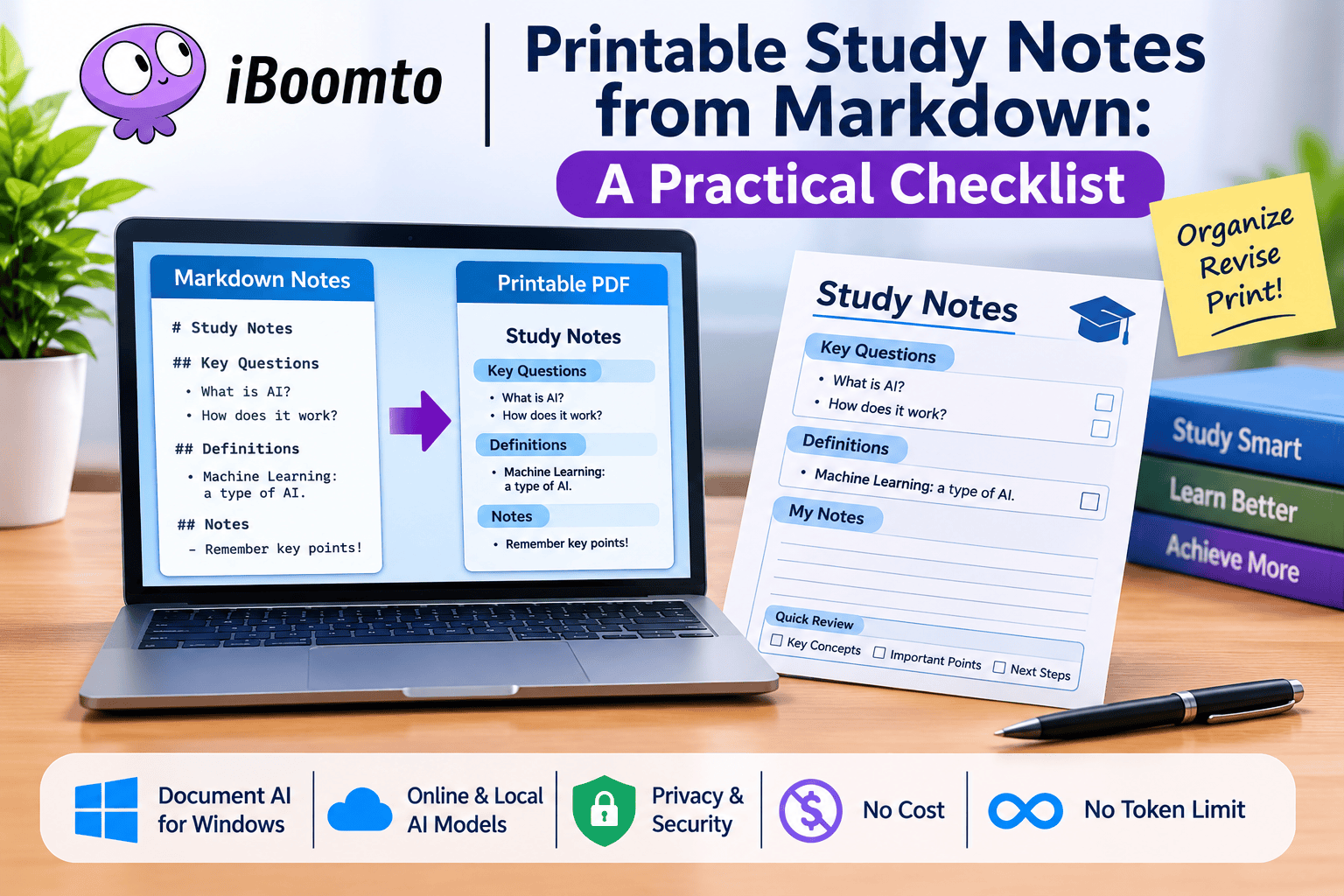
iBoomto is a document AI solution for Windows that supports online AI models and makes AI available right on your machine. It’s used for writing documents, structuring information, and generating content with the aid of AI. It also has an MD to PDF tool, which is very handy for editing a reference document and using it as part of your study material.
It’s flexible (that’s one of the interesting things about it). You can choose either an online or a local AI model depending on your workflow and your preference. There’s a real focus on privacy and security too, particularly for people who will be using it to work on their own notes and their own academic work.
Another advantage is, of course, that it’s accessible. It’s free, and iBoomto is very clear about there being no limit on the number of tokens you can use. That will be a big draw for students who are looking at useful documentation tools and don’t want to be hit with another subscription cost.
Convert Markdown into a Printable PDF
Once you’ve ordered your notes, you can use the [iBoomto PDF to Markdown conversion tools](https://www.iBoomto.com/pdf-to-markdown) to generate a printable version of your document.
Before printing, please go over these steps:
Step 1. Organization: Ensure your sections flow well and the chapter headings are unambiguous.
Step 2. Formatting: Check all bolding, bullet points, equations, & chapter headings. There shouldn’t be unnecessary empty lines, & the same information shouldn’t be repeated.
Step 3. Page Setup: Check for awkward spacing & headings that sit on a page all by themselves.
Step 4. Final Polish: Verify that formulas, special symbols, tables, & hyperlinks are printed clearly & are easily legible.
Step 5. Save as PDF and Preview: Before printing, save as a PDF, & then open the file in a PDF viewer.
A quick preview can be useful in spotting issues that might otherwise take up a lot of paper and printing time.
Leave Space for Personal Annotations
One advantage that printed notes may not have is the ability to handwrite the observations.
You might want to leave some blank space after your key explanations (or indeed have your own “My Notes” section). That space is for adding in further examples, questions, corrections and/or reminders as you go through the lectures and during revision.
It’s also a good idea to have a little tick box next to any of the key questions. If you’ve got a confident answer to a question without having to go to the explanation, then you can just tick that off as complete. It makes it so much easier to track the changes.
A Practical Checklist Before Printing
Before printing out your study material, be sure to include these points:
-
Topics are broken down into separate sections.
-
The important questions are easy to spot.
-
Definitions and key concepts are included.
-
Examples and formulae are readable.
-
There is sufficient space for handwritten notes.
-
There are no issues with page breaks or margins.
-
The final PDF has been checked before printing.
These little boxes can be absolutely brilliant for your revision sheets.
Final Thoughts
Printable study notes have to be more than just a piece of paper. They need to be well organised so that revision is easier, and they need to contain questions, definitions, examples and the key bits of explanation.
Markdown is a very flexible base, and iBoomto supports document preparation via the Windows app, via online and local AI models, and via PDF functions. It’s free, it’s privacy- and security-focused, and there is no limit on the number of tokens you can use, so it’s definitely worth a look for simple homework.
Careful structuring, formatting into a clean PDF, and space for your own personal notes will result in practical study sheets that will help with learning and exam prep.